- Blog
- Appointment Scheduling
- Latest changes
- Plan courses and workshops
- What does fragab mean?
- Doodle alternative
- Read poll results
- Create a scheduling poll
- Help
- Poll Types
A Doodle alternative for your group planning?
Looking for an alternative to Doodle to find a date with your group? In fragab, you add several suggestions, share the participant link and collect replies. Whether switching makes sense depends on what you need beyond choosing a date.
This comparison is written by fragab and focuses on group decisions. The Doodle information was checked against the provider’s documentation on 8 November 2026. The fragab demo shows a saved example; this is not an independent hands-on test of both services.
What you can compare in a group poll
In a Doodle group poll, you enter meeting details, suggest times and invite participants. The shared task in fragab is similar: your group responds to possible dates.
Use the same occasion for your comparison. For example, try three possible evenings for a game night. Which dates work? How do you save and change a reply? Can you read the results easily on your phone? That lets you compare the steps your group will actually use.
When fragab could fit your plans
fragab is worth considering if you also organise other replies from the same group: a Yes/No RSVP, a choice between ideas or a list of things people will bring. Choose the type of poll that answers the question you need to settle next.
You can create a basic poll free of charge without an account. That does not mean every extra setting is free: check the package requirements before sharing. For capacity limits and waiting lists, distinguish a preference from a confirmed place.
Live example: which evening works?
Five people have selected dates for a game night. Each of the three suggestions has three Yes replies, from different people. The totals alone do not settle the decision: check who can attend on each evening.
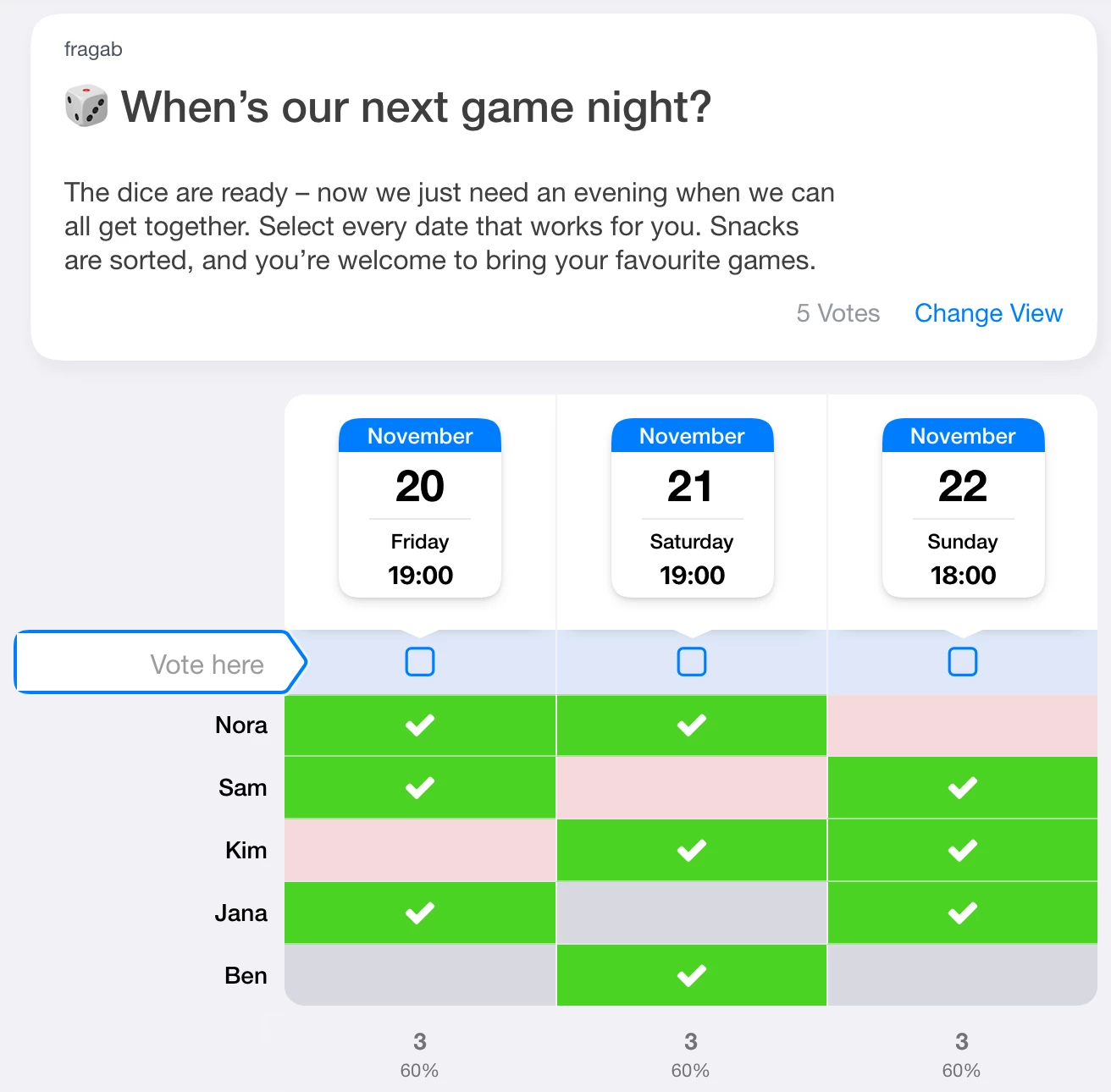
You can try selecting answers in this example, but changes are not saved. The live demo’s dates move forward over time; the screenshot shows the dates at capture.
When to keep your existing Doodle setup
Doodle may still suit you if your group is comfortable with it and the settings you need are already in place. If you connect calendars or video calls, check which connections you actually use and how a different setup would work.
Doodle’s documentation describes video-conferencing settings and additional poll options. Check the provider for availability in your account. A similar date poll does not make every integration and setting interchangeable.
Try fragab with your group
- Choose a small occasion: start with your next date question rather than moving every ongoing plan.
- Add suggestions: enter a title and description, then add days and suitable times.
- Check the settings: review answer options, visibility and any extra features you need.
- Share the participant link: send it to your group. When switching tools, explain which list is being used for this plan.
- Review the replies: compare the selections and then tell everyone the final date.
See how to find a date with your group for more on choosing useful suggestions and reading the results.