- Blog
- Help
- Poll Types
- Anonymous polls
- Create with AI
- Events & Parties
- Find a date
- Volunteer list
- Parent-teacher appointments
- Potluck list
- Choose a restaurant
- Save the date
- Signup list
- Text - Multiple Choice
- Training attendance
- Yes/No polls
Create a potluck list: who’s bringing what?
Three salads are promised, but nobody has thought about bread. A fragab potluck list keeps your group’s contributions in one place. List what is needed and let guests choose what they will bring.
Build your shared list
- Describe the occasion: explain what you are planning and when you will meet.
- Add contributions as text options: try “Salad for ten people”, “Bread and rolls”, “One cake” and “Drinks”. Make quantities clear.
- Check settings: decide whether several people may bring the same item and whether selectable quantities or limits are useful.
- Share the participant link: save the list and send the link to your group.
- Choose and save: guests select their contribution and save their reply. A promise in the group chat does not appear in the list automatically.
The poll-creation guide shows the form and its options.
Live example: Christmas potluck
Cookies, punch, savoury snacks or fruit and nuts: five sample entries show who is bringing each contribution. Two people have chosen savoury snacks. This simple example has no capacity limits or selectable quantities.
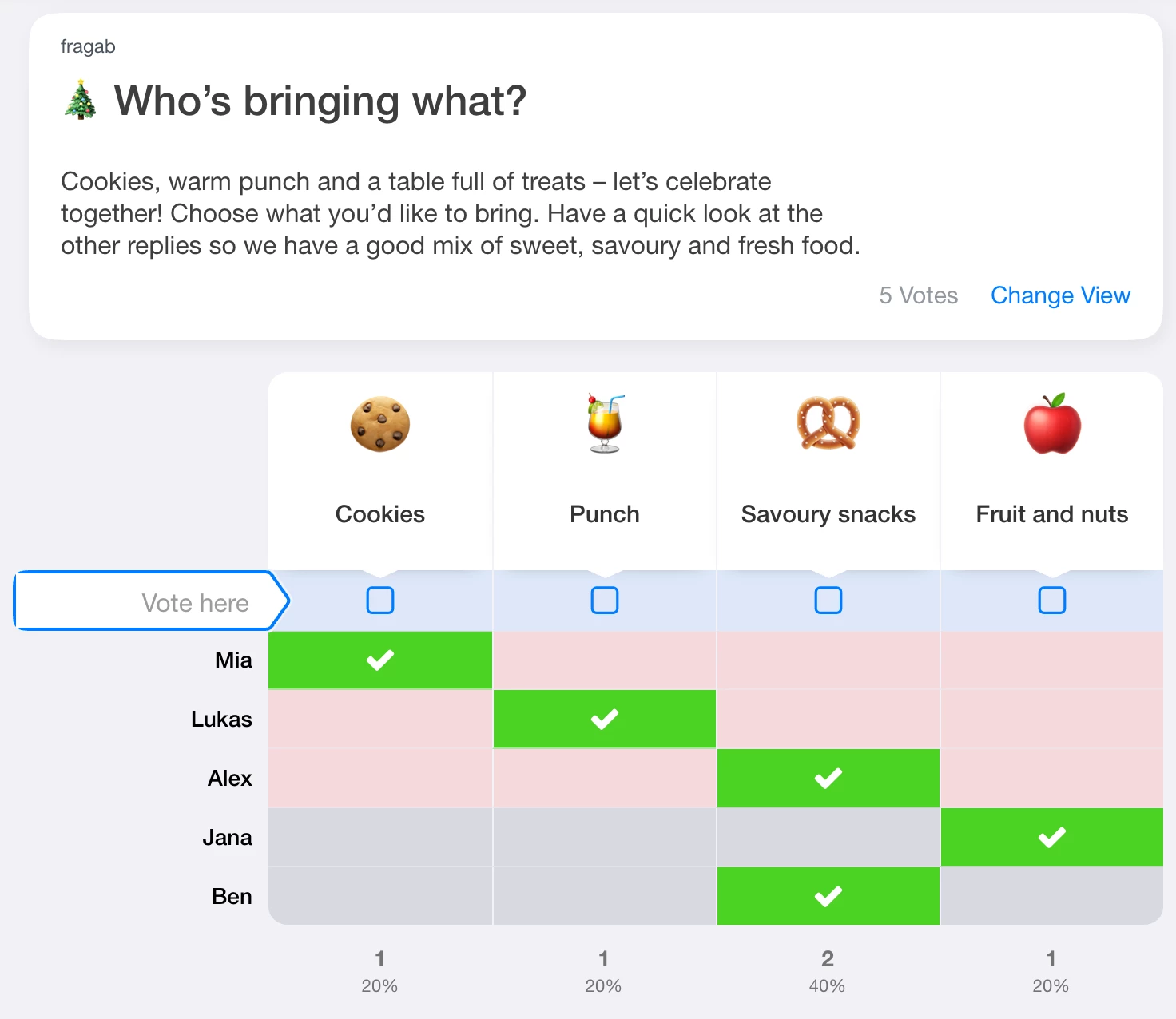
Try selecting an answer. The example stays open and interactive, but changes are not saved. Create your own list for your group.
Live example: a shared brunch
The hosts are taking care of coffee and eggs for an Easter brunch. Guests add bread, cake, drinks and fruit. Put items that are already organised in the description so nobody needs to volunteer for them again.
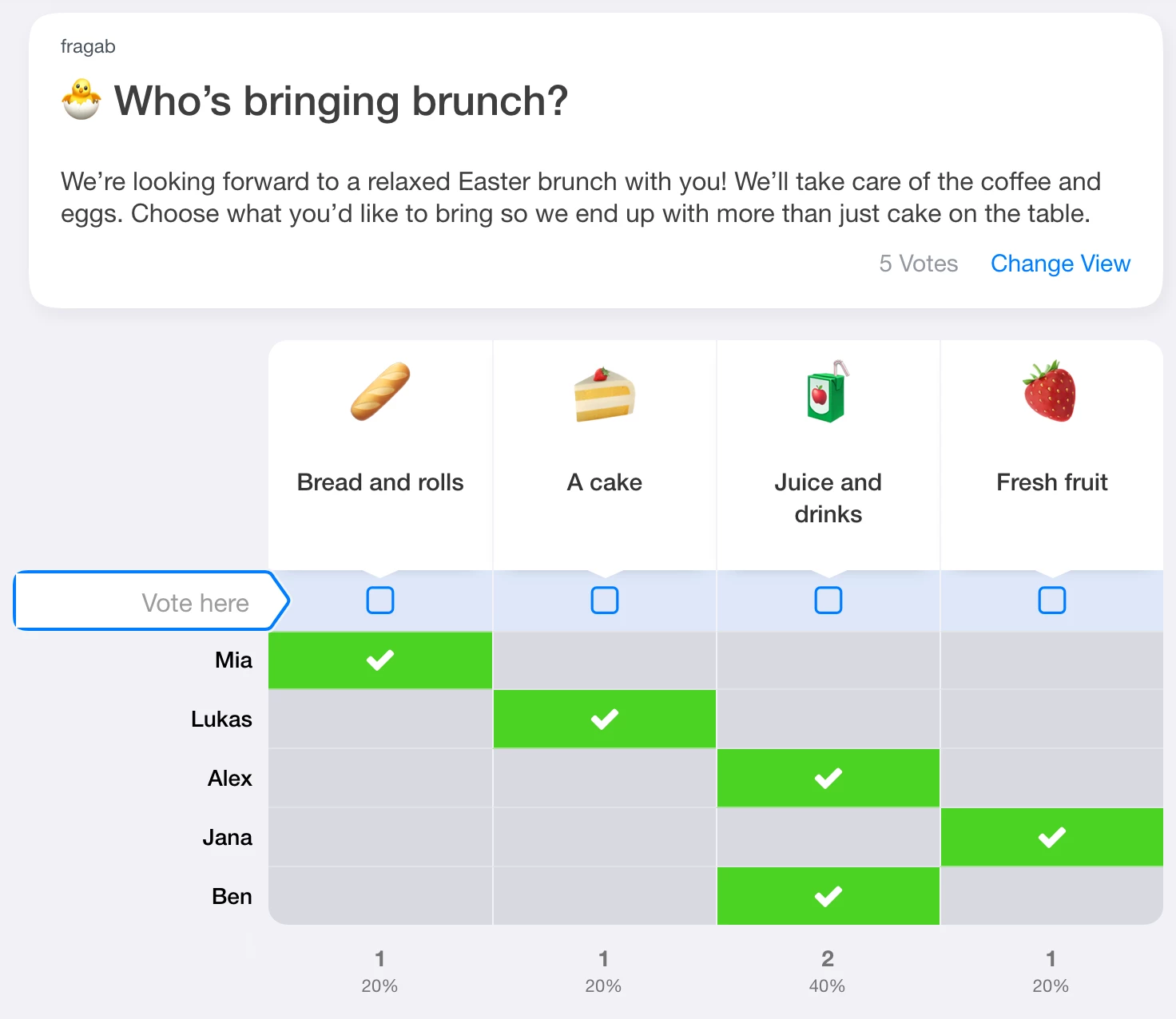
This example also keeps its five sample entries unchanged when you try it.
Quantities or limits?
- Selectable quantities let someone promise two cakes instead of one. Define the unit: a cake, bottle or crate of drinks.
- A limit on an option caps its positive replies, including Maybe if enabled. Without selectable quantities, a limit of two lets two people offer a cake. If quantities are enabled, the quantities entered count towards the limit.
Selectable quantities and individual option limits are included in Gold and Platin. Check the settings before sharing. For a simple list, you can instead put the amount directly in the label: “One cake for twelve people” is clearer than “Something sweet”.
Share one list in WhatsApp
Send the same participant link to everyone: “Please choose what you will bring by Thursday and save your reply.” Saved responses come together in one list, even if the link is shared in several chats. The WhatsApp sharing guide explains the process. Share the participant link rather than the administrator link.
Remember the practical items
Include plates, cutlery or a cool box if needed. Clearing up can be another option. Agree what the hosts already provide. If the day is still undecided, start with a date poll. For a seasonal gathering, see Christmas planning.