- Blog
- Help
- Poll Types
- Anonymous polls
- Create with AI
- Events & Parties
- Find a date
- Volunteer list
- Parent-teacher appointments
- Potluck list
- Choose a restaurant
- Save the date
- Signup list
- Text - Multiple Choice
- Training attendance
- Yes/No polls
Prepare a poll with AI
You know what your group needs to decide, but have not settled on the options? Describe your plans directly in fragab. Choose “With AI” to prepare a draft that you can check and edit yourself.
Use “With AI” in your browser
- Open the creation form and choose “With AI”.
- Describe the decision your group needs to make. Include any proposals, dates and important settings you already have in mind.
- Let the draft be prepared, then look through the form.
- Check the title, description, options and settings. Correct anything that does not fit.
- Save the poll. Complete any confirmation steps shown and then share the participant link.
AI helps with wording and preparation. You decide whether the draft fits your plans and should be published.
What should your description include?
Explain the occasion and the question first, then the possible answers. For scheduling, specific dates and times are clearer than “next Friday”. Include a time zone when it matters.
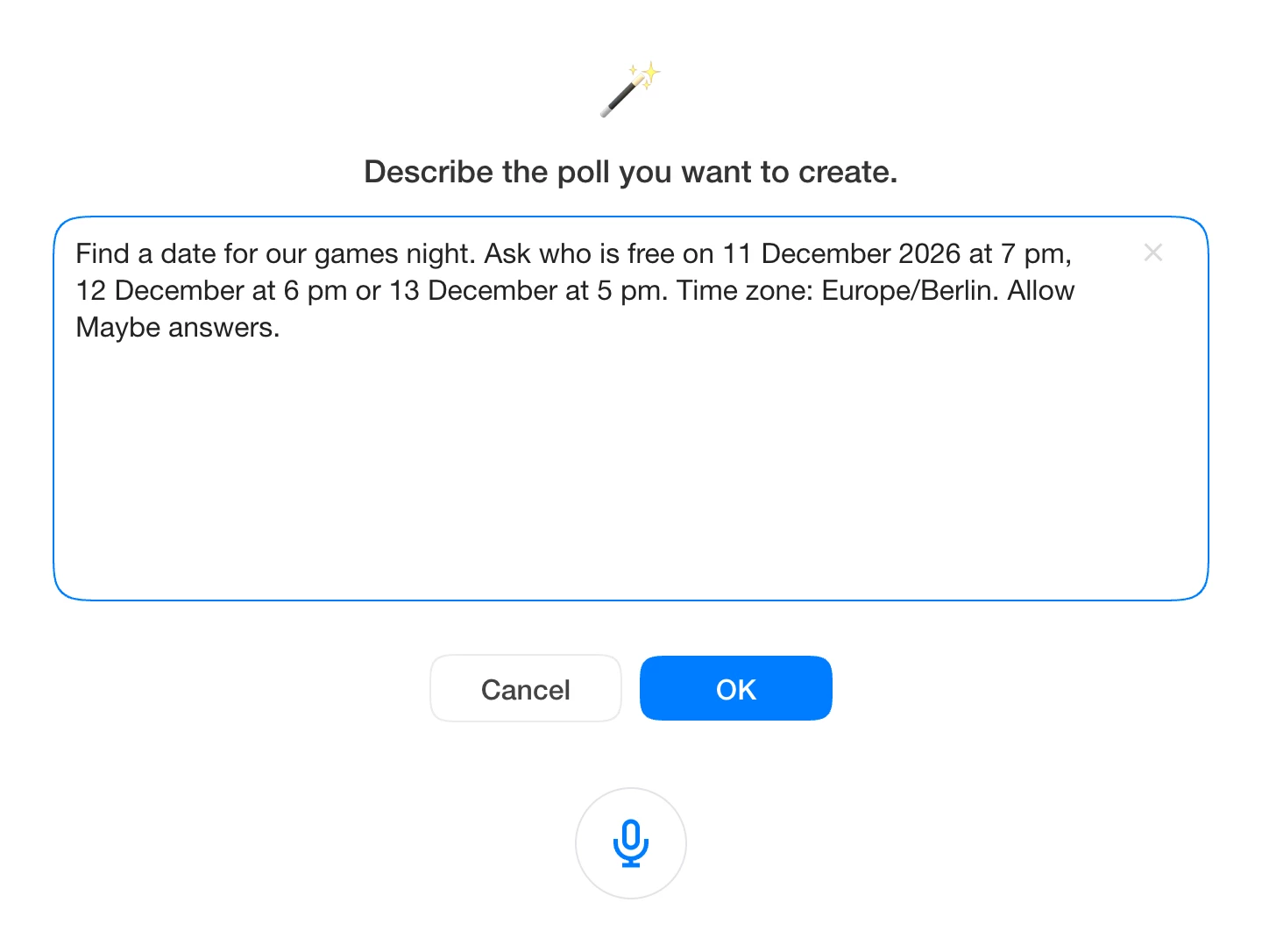
Find a date for our games night. Ask who is free on 11 December 2026 at 7 pm, 12 December at 6 pm or 13 December at 5 pm. Time zone: Europe/Berlin. Allow Maybe answers.
For a potluck, describe the contributions you need instead:
Prepare a potluck list for our club buffet. The options are salad, bread, cake and drinks. Explain that everyone should select their contribution and save their reply.
Start with general sample information. You do not need other people’s private details for this description.
Live example: a finished scheduling poll
This separately prepared example shows five entries for three games-night dates. The live dates move forward while keeping their weekdays; your own draft depends on your instructions.
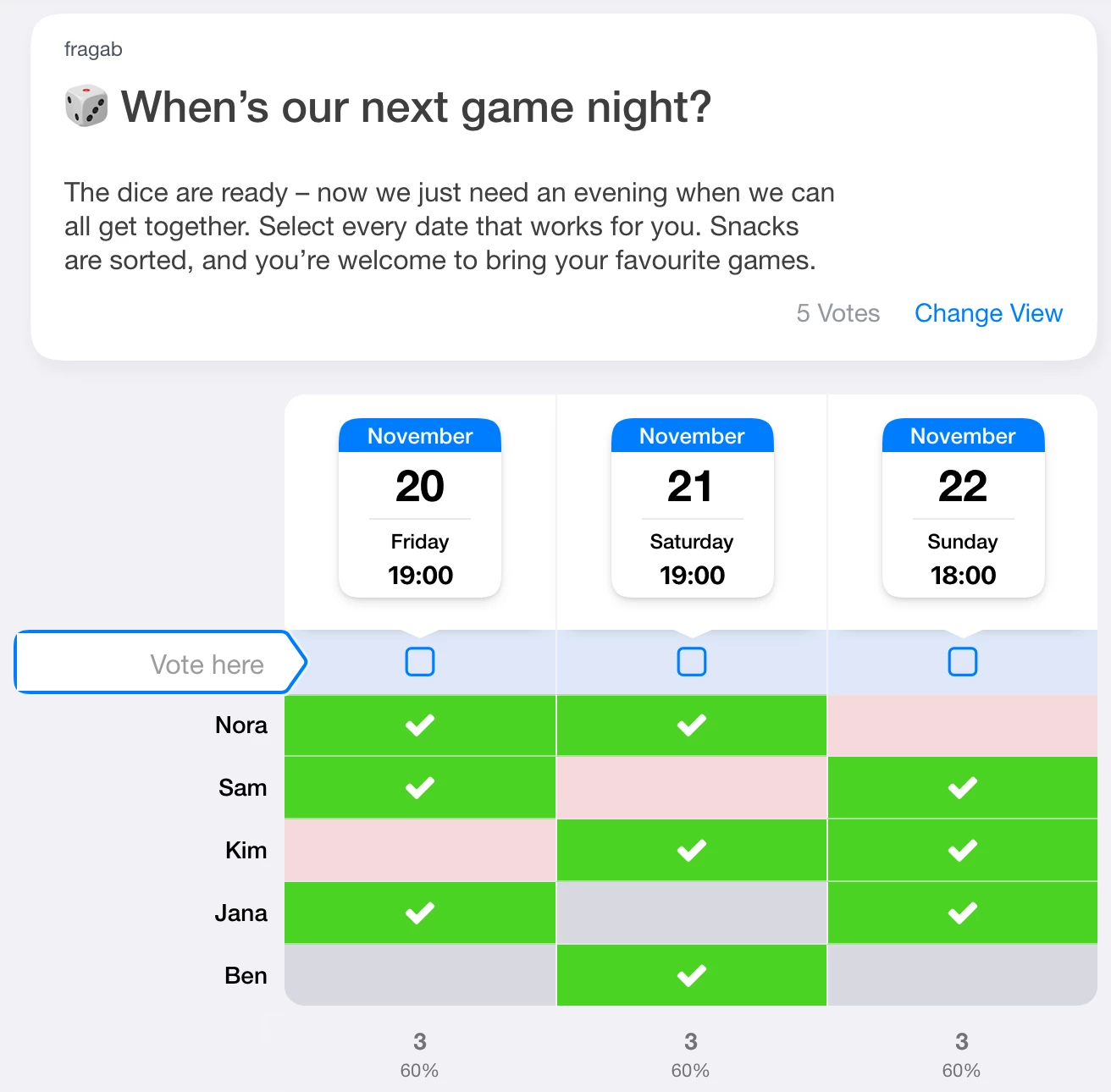
The example is open and interactive. Your changes are not saved.
Check these points before sharing
- Question and options: did the draft interpret your request correctly? Is an option missing?
- Date and time: are the year, time and time zone correct?
- Settings: are Maybe answers, quantities and limits set as you need?
- Package: does your package include the chosen extras? Check the feature comparison if needed.
If anything is wrong, edit the draft in the form or try a more precise description. AI can misunderstand information, so read the draft carefully before publishing it.
Want to start in ChatGPT or Claude?
The fragab connection through MCP is a separate starting point, with its own setup and draft workflow. See the guide for ChatGPT and Claude for requirements and instructions.
URL parameters remain available for form examples and presets.
Open the form and try “With AI”