- Blog
- Help
- Poll Types
- Anonymous polls
- Create with AI
- Events & Parties
- Find a date
- Volunteer list
- Parent-teacher appointments
- Potluck list
- Choose a restaurant
- Save the date
- Signup list
- Text - Multiple Choice
- Training attendance
- Yes/No polls
Create a save-the-date poll: announce the day and collect early replies
A save the date announces your fixed date before the detailed invitation follows. For a wedding, start with who is getting married, which day and roughly where. If you would like an early reply as well, add a fragab link to your message.
A save the date normally does not require an RSVP. An optional first indication can help you plan, but does not replace the later reply to your invitation.
What does the link ask?
The date is already fixed. Ask whether guests expect to be able to keep it free, rather than asking them to choose a date. Three clear answers are enough:
- 💛 I’ll keep the day free
- 💬 Still not sure
- 💌 Sorry, I can’t
Explain how you will use the replies. Uncertain is not a no, and a positive indication is not a final RSVP. If you only want guests to note the date, send the announcement without a poll.
Live wedding example
The wedding in this example is on 12 June 2027 in Berlin. Five people have replied: three can keep the day free, one is unsure and one is unavailable. Each person can choose at most one answer.
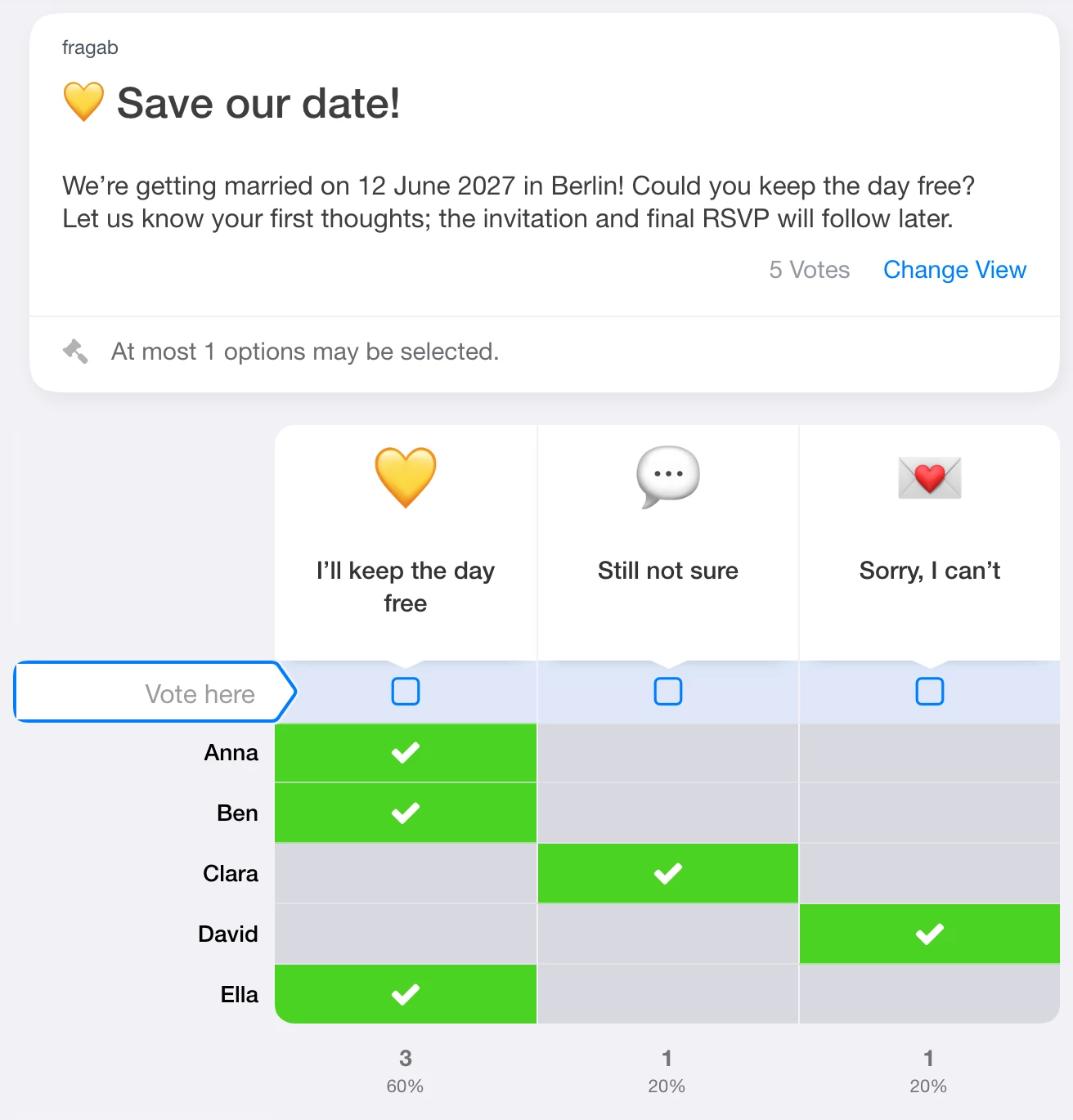
The sample entries remain unchanged when you try the poll. For your own replies, create a new poll and share its participant link.
Two short messages to adapt
An announcement without asking for a reply
We’re getting married! Please keep 12 June 2027 free. We’re celebrating in Berlin and would love to share the day with you. The invitation with all the details will follow. Mia & Lukas
A message asking for an early indication
Our date is set: we’re getting married on 12 June 2027 in Berlin! Do you expect to be able to keep the day free? Let us know through the link, even if you’re still unsure. This helps with our first plans. We’ll ask for your final RSVP with the invitation later. Mia & Lukas
Replace the names, date and location, then add your own participant link to the second version. Share it via WhatsApp or email. fragab does not automatically send this message for you.
Set up your poll
- Enter a short title, such as “Save our date!”.
- Put the fixed date, location and note about the later invitation in the description.
- Add the three answers as text options. No separate date choices are needed.
- Check the preview, save the poll and share the participant link.
To allow only one answer per person as in the example, set “Max selectable answers” to one. This setting is included in Gold and Platin. Extra settings are not needed for a simple announcement.
Who should see the replies?
Decide before sharing whether guests may see each other’s names and answers. Anonymous and private polls explains the separate privacy settings, creator and administrator access, and package requirements. Do not put personal travel or contact information in a visible list.
Once the invitation is ready, collect final RSVPs separately. See planning wedding replies for that next step.