- Blog
- Help
- Poll Types
- Anonymous polls
- Create with AI
- Events & Parties
- Birthdays
- Christmas
- Easter
- Children’s birthdays
- New Year’s Eve
- Weddings
- Find a date
- Volunteer list
- Parent-teacher appointments
- Potluck list
- Choose a restaurant
- Save the date
- Signup list
- Text - Multiple Choice
- Training attendance
- Yes/No polls
Wedding planning: save the date and guest replies
Once your wedding date is fixed, let guests know early so they can keep the day free. A short save-the-date message with a fragab link can collect first indications in one place. Ask for the final RSVP later, with the wedding invitation.
Announce the day first
Include your names, the fixed date and the location if you know it. Explain that the invitation with the time, address and details will follow. You are announcing the wedding date, not asking guests to vote on it.
A simple announcement does not need a reply. If an early indication would help, ask explicitly whether guests expect to be available. “I’ll keep the day free” is not a final attendance confirmation.
Live example: save our date
A couple is announcing their wedding. Three people can keep the day free, one is still unsure and one cannot make it. These five replies are sample data; trying a selection does not save changes.
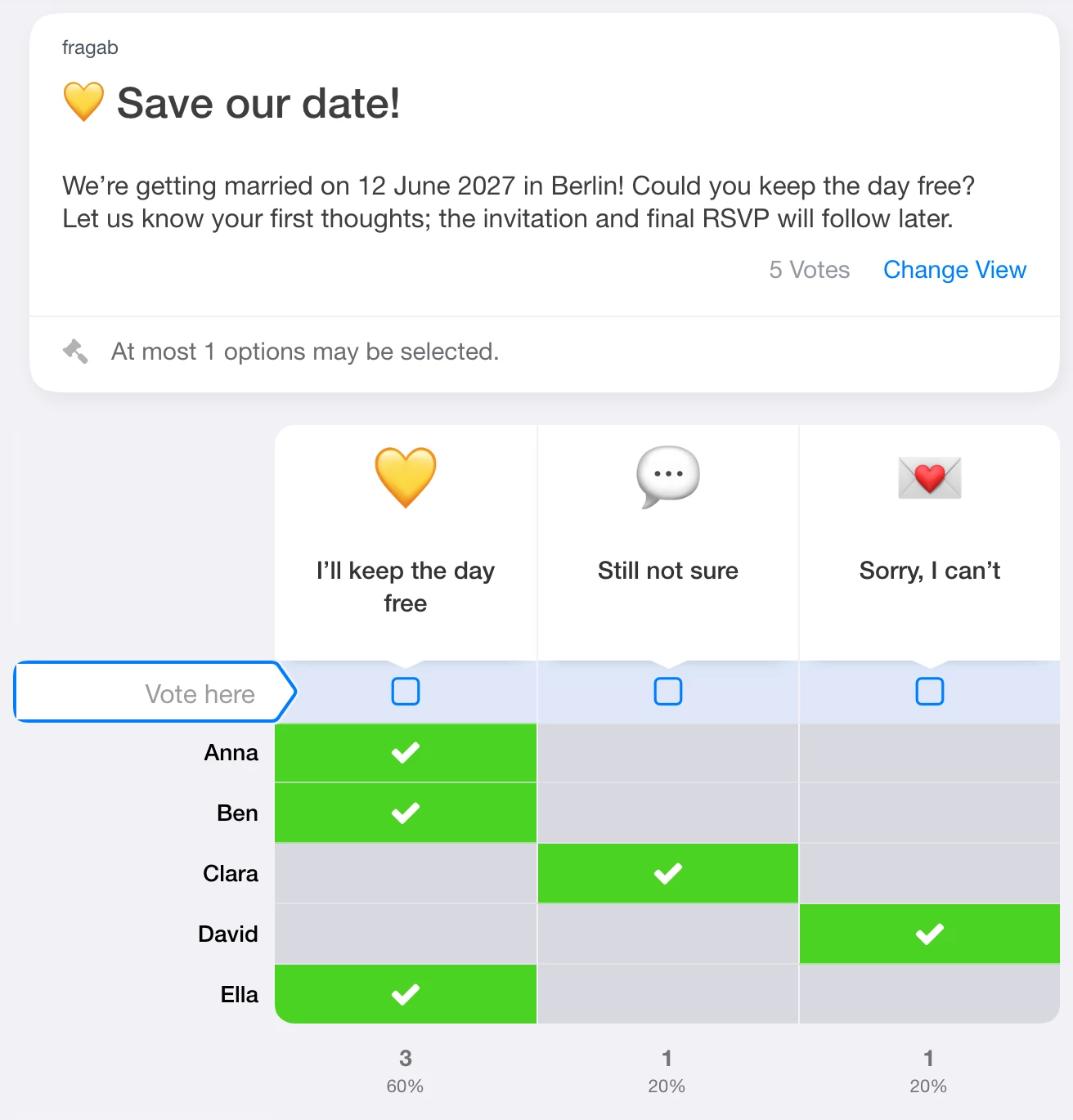
For setup and wording, see create a save-the-date poll.
Collect final RSVPs with the invitation
Give all the practical details and a clear reply deadline. Ask directly: “Will you be at our wedding?” A separate Yes/No RSVP works for this. Explain whether every invited person should reply separately or whether an entry includes a partner.
Do not treat early save-the-date replies as a confirmed guest list. Discuss personal information directly. If guests should not see other replies, the private poll guide explains the visibility settings and package requirements.
Keep extra arrangements separate
A gathering the evening before or breakfast the next morning can have its own short poll. Friends helping with setup can use a volunteer list. Keep those arrangements separate from attendance at the wedding.