- Blog
- Appointment Scheduling
- Latest changes
- Plan courses and workshops
- What does fragab mean?
- Read poll results
- Create a scheduling poll
- Help
- Poll Types
Read poll results: what do your group’s answers mean?
Five people have voted, but the totals add up to eight. Has something gone wrong? Not necessarily. When several answers are allowed, one person can select several options. To make a useful decision, first check what your question and settings actually measure.
Distinguish people from selections
A multiple-choice poll shows which proposals work for the group. Its totals do not divide participants into separate groups.
For example, five people give three Yes answers to idea A, two to idea B and three to idea C. That is eight selections from five people. It does not mean eight guests will attend or that somebody voted incorrectly.
Live example: plans for New Year’s Eve
Raclette, cooking together or a games night with a buffet: five sample participants have made three, two and three selections. Several ideas can be selected by the same person.
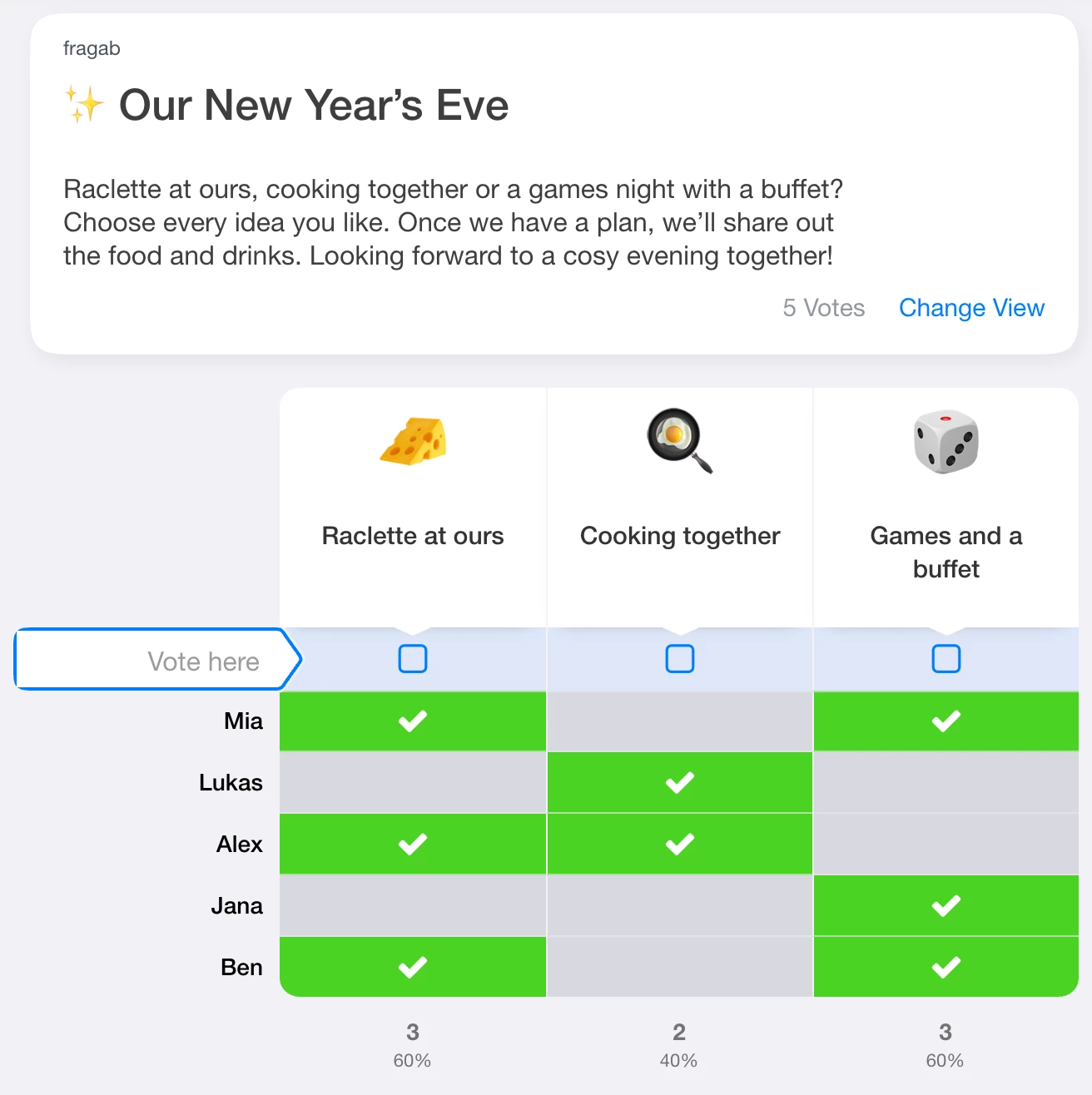
Try changing a selection. The example is open and interactive; your changes are not saved. Create a separate poll for your own group.
A missing reply is not a No
Check whether everyone you expected has replied. An empty cell may mean no answer has been given. It is not automatically a rejection. Consider whether participants could explicitly choose No or Maybe.
For a scheduling poll, check essential participants too. The date with the most Yes answers may still be unsuitable if the host cannot attend.
Resolve ties fairly
- Check that the options answer the same question and all replies are in.
- Review essential conditions such as availability, location and cost.
- Clarify open questions with the people concerned.
- If needed, run a short follow-up vote between the remaining options.
- Share the decision and the next practical step.
Agree on the selection rule before voting. Changing “Choose every idea that suits you” into “The largest number alone decides” afterwards can reasonably surprise participants.
Turn interest into confirmed plans
A restaurant vote does not reserve a table. Selecting a travel idea does not book accommodation. Once the date, location and cost are clear, confirm who will attend and make bookings separately.
The export guide explains how to share results. For choosing a format, see scheduling polls and the poll-creation guide.